

Calculator or spreadsheet ?
OneSoftMobCalculator or spreadsheet ? is a commercial and business calculator for calculations involving accounting entries, variables, discounts, taxes, payments, and credit transactions. It also provides quotation and invoice capabilities, conversion tools, calculation history, and options for sharing or storing results.
Screenshots
About this app
Calculator or spreadsheet ? is a commercial and business calculator designed for handling everyday calculations, cost simulations, and finance-related entries. Its functions cover calculation review, accounting additions, business adjustments, conversions, and sharing or storing results.
Can calculations be reviewed or corrected later?
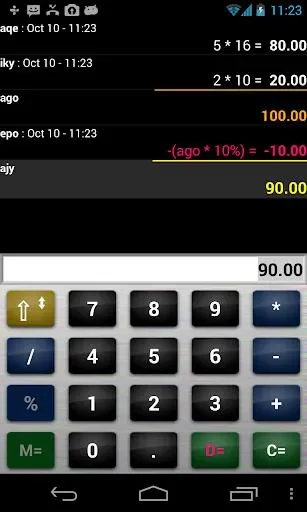
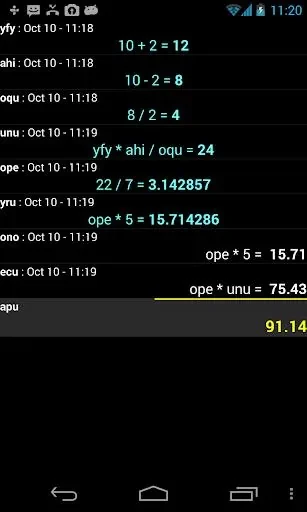
The app provides a history display that users can edit, allowing previous calculations to be reviewed and corrected rather than recreated from the beginning. It also automatically recalculates the equation when an item is inserted, edited, or deleted, which keeps the result aligned with the current entries.
Does it support accounting and business adjustments?
Calculator or spreadsheet ? includes accounting additions for working with debits and credits. It also supports discount and tax calculations, which can be used when preparing business-related totals or cost simulations. Payment and credit management features are included for tracking those types of financial transactions within the app.
Can it handle more than basic numerical entries?
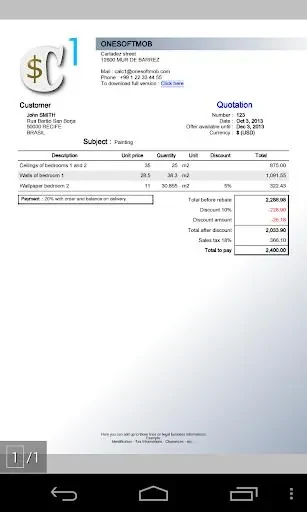
Variable entry is available through the [M=] key, providing a way to use variables in more complex equations. The source also describes quotation and invoice capabilities, making the app relevant to calculations connected with commercial transactions. These functions are presented for users such as merchants, managers, accountants, artisans, and individual consumers.
Are conversion and sharing tools included?
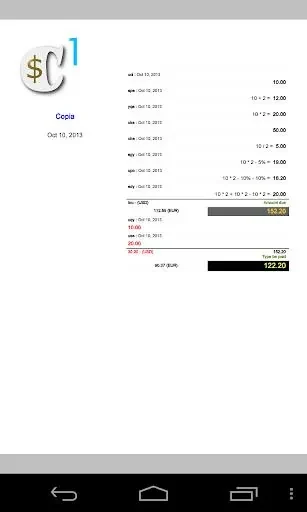
In addition to its calculator and accounting functions, the app includes currency conversion, measurement conversions, and tip calculations. Calculations can be shared or stored through email, Skype, Google Drive, or Bluetooth, giving users several supported ways to send or retain their results.
What guidance is available for using the functions?
The supplied description refers to a demo video that explains how to use the calculator and its features. It specifically highlights the history, accounting additions, variable entry, discount, and tax functions as areas users can apply to personal or professional calculations.
Version history
View all02 Sep 2024 · stable
Frequently asked questions
What version is listed for the app?
The supplied application data lists version 4.5.
Who is listed as the developer?
The listed developer is OneSoftMob.