

Film Maker Pro
Film Maker Pro is an Android video editor for trimming and combining clips, adjusting playback speed, and adding text, music, filters, and transitions. It also offers export settings for resolution, frame rate, and aspect ratio, with 4K export and some other features limited to certain devices.
Screenshots
About this app
Overview
Film Maker Pro brings a broad set of video-editing tools to Android, from basic clip trimming to layered effects and music. You can combine footage, adjust its speed, choose an aspect ratio, and add elements such as animated text, stickers, or filters. Its tools suit short social videos, channel intros, lyric videos, and other personal projects. The app also provides tutorials and a frame-by-frame timeline for more precise edits. Export options include 1080p and, on some devices, 4K, so the available output can depend on the device being used.
What You Can Do
⭐ Trim, split, copy, rotate, crop, and combine video clips to assemble footage and remove unwanted sections. The app also includes video compression and conversion tools.
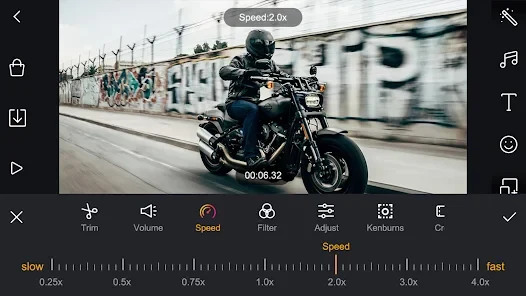
⭐ Adjust playback speed to create fast- or slow-motion sections. This can help emphasize an action or give a clip a more cinematic pace.
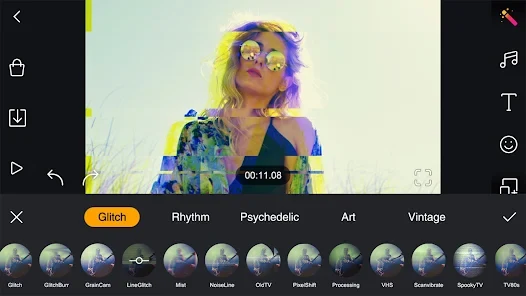
⭐ Add visual styling with custom filters, including retro and selfie options, and place transitions between clips. Shake and glitch effects are also listed among the available effects.
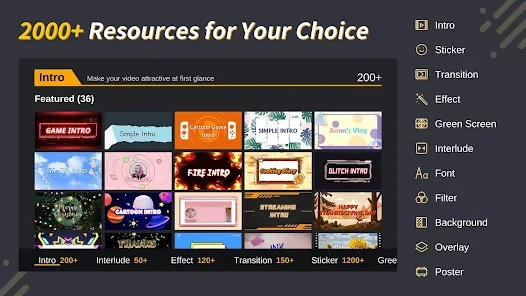
⭐ Add text and decorate footage with stickers. The app lists more than 50 text-animation presets, along with fonts and illustrations for customizing a video.
⭐ Add music or voice-over narration, adjust volume and speed, and trim audio or apply fades. The source also describes a selection of more than 100 featured music tracks.
⭐ Work with overlays and multiple layers, including blending modes for double-exposure effects. Picture-in-picture is available on some devices, and chroma key can be used to replace a green-screen background.
Using the App
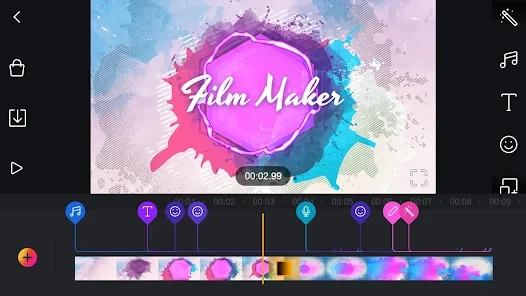
The editing workflow combines clips on a multi-timeline interface, where you can zoom in or out to make frame-by-frame adjustments. After arranging footage, you can set its playback speed and add transitions, filters, text, stickers, or audio. Output settings let you select resolution, frame rate, and aspect ratio. Tutorials are provided to guide editing, while export options include 1080p and 4K on some devices. Picture-in-picture availability also varies by device.
Why It May Appeal
✅ The app combines everyday editing tasks and creative additions in one place, including clip assembly, audio, text, filters, and transitions.
✅ Adjustable output settings and a zoomable timeline offer choices for both framing a finished video and making precise edits.
Things to Consider
❎ The app contains ads, and some advanced features may require additional purchases.
❎ 4K export and picture-in-picture are not available on every device. The source also notes that the app is less powerful than professional desktop editing software, which may matter for more demanding projects.
Version history
View all26 May 2026 · stable
Frequently asked questions
Can Film Maker Pro export videos in 4K?
The app lists 1080p and 4K export, but 4K is available only on some devices.
Does Film Maker Pro support picture-in-picture?
Yes. Picture-in-picture is listed as a feature, though availability depends on the device.
Does Film Maker Pro contain ads or in-app purchases?
The supplied app information says it contains ads and that some advanced features may require additional purchases.