
KLCK Kustom Lock Screen Maker
KLCK Kustom Lock Screen Maker lets you create lock-screen layouts using custom text, colors, backgrounds, shapes, animations, and other visual elements. It also supports features such as notifications, music information, weather, and downloaded content.
Screenshots
About this app
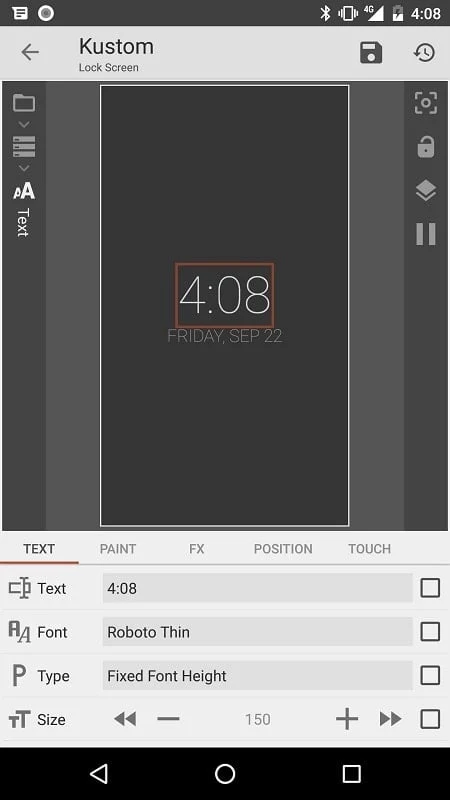
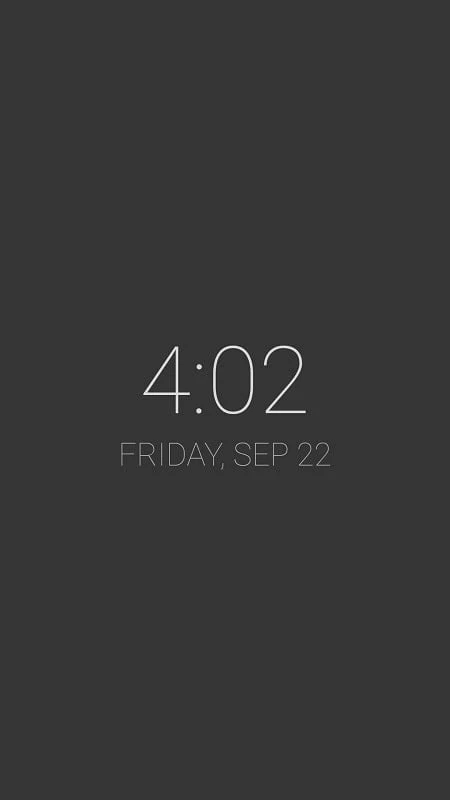
KLCK Kustom Lock Screen Maker is an Android utility for creating and customizing lock-screen layouts. Its editor supports changes to backgrounds, fonts, colors, text, and shapes, with options for adding information and visual effects. The source describes it as a customization tool, not a security application.
What can you customize in a lock-screen layout?
The editor supports text with adjustable fonts, colors, sizes, and effects, along with shapes such as ovals, rectangles, arcs, triangles, and hexagons. Layouts can use gradients, shadows, tiling, color filters, and layer effects including blur, clear, xor, difference, and saturation. Three-dimensional flips, curved or skewed text, and progress bars are also listed among the available design elements.
Users can work with backgrounds and arrange items such as clocks, dates, and notifications. The app also describes starter skins and Kustom components, which are widgets for use in Kustom. Touch actions and hotspots can be assigned to created objects. These functions are intended for designing the screen’s appearance and interactive elements; the source does not describe the app as a replacement for device security.
Can the screen include live or changing information?
KLCK supports status-bar notifications, including text and images, as well as music details such as the current track title, album, and cover. Weather information can include wind chill and feels-like temperature. Google Fitness data listed by the source includes segments, calories, steps, distance, and sleep.
Other options include RSS and XML, XPath, or text downloads, plus dynamic content fetched over HTTP, with live maps and weather given as examples. Wallpapers can be set to change according to conditions such as time, location, or weather. The source also lists astronomical data and CPU or memory meters as possible content, without specifying the data services or setup requirements involved.
Which motion and animation effects are available?
Animations can fade, scale, or scroll based on screen position, touch, events, and accelerometer input. Magnetic sensors and gyroscope support can be used for wallpaper movement or object animation. The editor also lists curved and skewed text, 3D flip transformations, and layer effects, allowing layouts to combine movement with visual styling.
Is KLCK a security app?
No. The supplied description explicitly says KLCK is not a security application and advises users to set their own device passwords for protection. Its documented purpose is creating lock-screen designs and displaying selected information, not securing the device.
Version history
View all30 Jul 2025 · stable
Frequently asked questions
Which image formats does the editor support?
The source lists PNG, JPG, WEBP, and SVG image support, with a built-in picture scaler.