
My Secure VPN : Safer Internet
Fast VPN AppsMy Secure VPN : Safer Internet provides one-tap connections to free VPN proxy servers for browsing, blocked-content access, streaming, and gaming. The app description also highlights encrypted connections, anonymous browsing, server selection, and support for WiFi, LTE, and 3G connections.
Screenshots

About this app
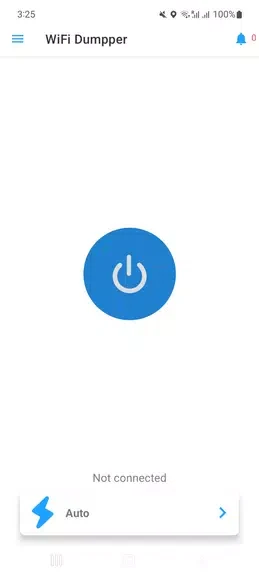
My Secure VPN : Safer Internet is designed for people who want to connect through a VPN proxy server before browsing the internet, using public WiFi, or accessing content that is restricted on their current network. Its central workflow is simple: open the app, tap to connect, and choose a server when a different connection is needed.
Connecting before browsing
The app provides one-tap connectivity to free VPN proxy servers, so the main connection task does not require a lengthy setup sequence. Its description says the connection is encrypted and supports anonymous browsing, including when using public WiFi. It also states that the service does not keep logs on its server side. These are presented as part of the app's privacy-focused purpose rather than as independently verified guarantees.
Reaching restricted websites and apps
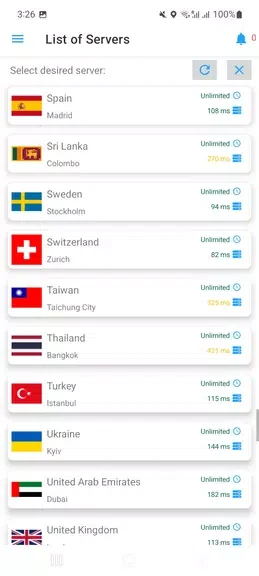
When a website, app, or social network is unavailable because of a firewall or geographic restriction, My Secure VPN : Safer Internet is described as providing access through its VPN connection. This includes examples such as news sites, forums, Twitter, and Facebook. The app's guidance recommends exploring the available servers and selecting the one that offers the fastest and most stable connection for the current browsing need.
Choosing a connection for media and games
The source also presents the app for streaming videos, television shows, and live sports on services such as YouTube and Netflix. It claims that using its servers can reduce buffering. For gaming, the stated purpose is to support smoother play by reducing lag or delays. The practical result depends on the server and network connection selected, so the app's own guidance is to use the fastest and most stable available option.
Using different mobile connections
My Secure VPN : Safer Internet is described as working with WiFi, LTE, and 3G mobile data connections. This allows the same one-tap VPN workflow to be used across the connection types listed in the source. The app is presented as a free and unlimited VPN service, although the source does not provide further terms about availability or usage conditions.
Version history
View all09 Sep 2024 · stable
Frequently asked questions
Which network types does My Secure VPN : Safer Internet support?
The source describes support for WiFi, LTE, and 3G mobile data connections.
Can users contact support about the app?
The source states that a customer support team is available 24/7, but it does not provide contact details.