

Omni Swipe
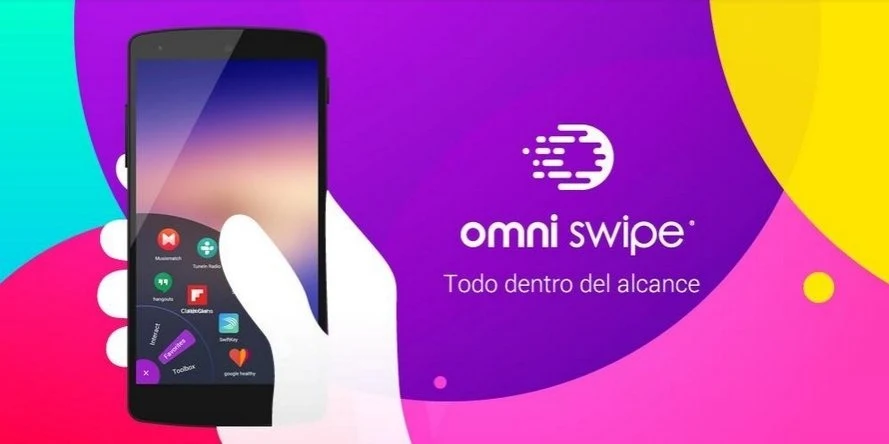
Omni Swipe opens a customizable menu when you swipe inward from either bottom corner of the screen. It brings together frequently used and recent apps, notifications, contacts, and selected shortcuts.
Screenshots



About this app
Omni Swipe is an Android utility that opens a customizable menu when you swipe inward from the bottom-left or bottom-right corner of the screen. It is designed to make common tasks—such as opening apps or changing selected settings—available from one gesture, without first setting up the menu. It can surface frequently used and recently installed apps, notifications, and contacts, while keeping the menu out of view when you are not using it. The app requires Android 4.0 or later.
What can you access from the swipe menu?
The menu can help you search for and open apps you use often, as well as access recently installed or used apps. You can add and arrange up to nine favorite apps for quick access. Omni Swipe also organizes apps based on their importance and your past usage, according to the supplied description.
It can show recent notifications without requiring you to pull down the notification bar, and keep important contacts and their contact methods handy. You can edit the names of the menu tabs to suit your preferences.
Which settings and tools can you customize?
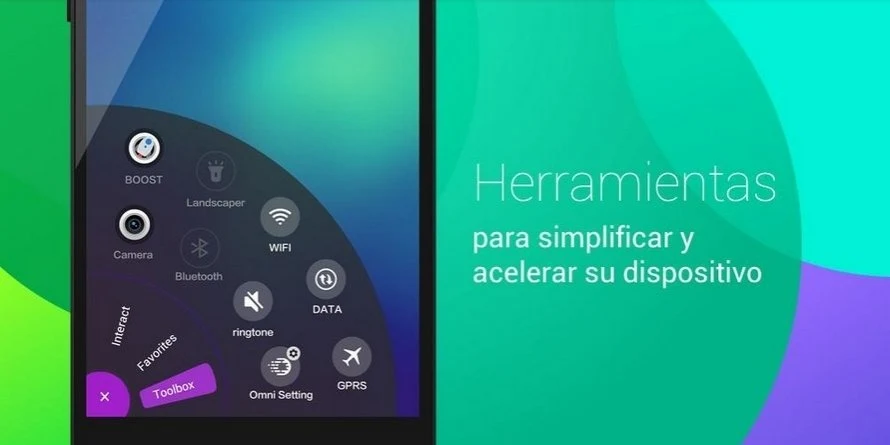
The toolbox lets you choose commonly used shortcuts and switches. Listed options include toggles for Wi-Fi and Bluetooth, a flashlight shortcut, rotation lock, and screen brightness adjustment. The description also identifies a memory-cleaning “Booster” tool, plus clock and battery-saver icons in the listed changelog.
Can you change how the menu looks?
Omni Swipe includes a selection of colorful themes intended to match a home screen’s style. The description notes that the app can indicate which themes have or have not been downloaded. The menu appears when you invoke it and disappears when you are done, rather than remaining over the home screen.
Who might find Omni Swipe useful?
It may suit Android users who want a corner-swipe way to reach favorite or recent apps, selected device controls, notifications, and contacts. Its menu is customizable through favorite apps, toolbox choices, tab names, and themes. If you prefer not to use a gesture-based shortcut menu, its central approach may be less relevant to your needs.
Version history
View all10 Sep 2026 · stable
Frequently asked questions
Was Omni Swipe previously known by another name?
Yes. The supplied description says Omni Swipe was previously known as Lazy Swipe.