

ShotCut AI
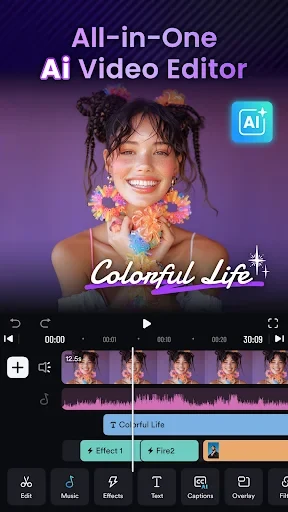
ShotCut AI combines clip editing, slideshows, speed effects, and audio tools with AI-assisted captions, music selection, and social media text generation. It supports projects such as vlogs, short films, and videos for TikTok, YouTube, and Instagram.
Screenshots
About this app
ShotCut AI is a video editor that combines everyday clip-editing tools with AI assistance for captions, music, and social media text. It is designed to simplify tasks such as trimming footage, joining clips, adding audio, and preparing videos for sharing. Its beginner-oriented interface sits alongside options for slideshows, short films, vlogs, and stop-motion animation. The main benefit is having editing and supporting content tools in one place, whether you are assembling personal footage or creating posts for social platforms.
What can its AI tools do for a video?
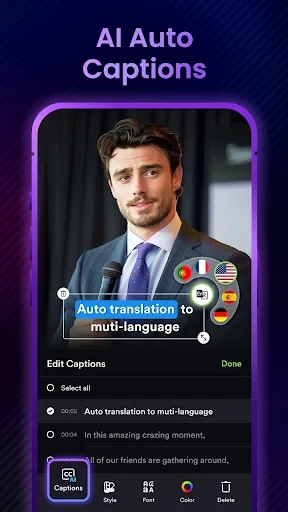
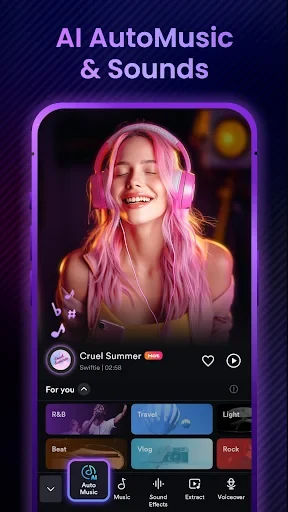
AI Captions transcribes video speech into text, with sentence and word segmentation and support described as covering major languages. This feature is offered as a free trial, so it should not be assumed to provide unlimited free transcription. AI Automusic matches music to the style of a submitted video, helping with soundtrack selection.
The AI text generator takes an uploaded video and a specified platform, then produces titles, hashtags, and descriptions. These tools assist with both the video and its accompanying post text. AI output may still need manual adjustments when the results do not match your intentions.
How much control is available over clips and audio?
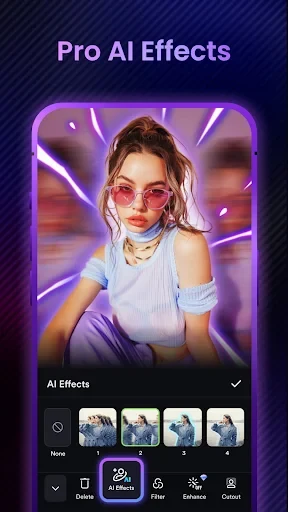
You can cut and split longer footage, combine clips, crop to different aspect ratios, and reverse playback. Speed controls create slow-motion or fast-motion sequences from normal-frame-rate footage. Effects, transitions, and filters provide additional ways to change the presentation, while support for multiple file formats allows different types of video to be edited.
Audio tools let you extract sound from a video and edit its audio track. Conversion options include HD video and MP3 audio output. The listed features also include watermark-free export and a tool for removing watermarks from video.
Can it make slideshows, collages, and movies?
The slideshow tools combine photos with music and voice-over, and live photos can be converted into video. For collage projects, you can arrange both videos and photos in a chosen layout. These options cover projects built from still images as well as recorded footage.
Movie creation includes a standard 24 fps frame rate. Alongside short films and stop-motion projects, the editor supports vlogs and music videos, giving users several project types beyond a single social clip.
Which social media projects does it support?
ShotCut AI includes tools for creating TikTok videos, YouTube content, and Instagram reels and posts. Reel templates offer a starting point for Instagram projects, while cropping and clip assembly help shape footage for the intended presentation. The platform-specific AI text tool can also prepare accompanying titles, descriptions, and hashtags.
Who may find its editing approach useful?
The combination of a beginner-oriented interface and a broad editing toolkit may suit people who want to assemble videos while also handling captions, sound, and post text. More experienced users can use its cutting, speed, audio, and visual tools, though the source notes limitations in customization.
The app is described as free to use, but some features are subject to ads or paywalls, and AI transcription is specifically presented as a trial. That distinction matters if your main need is an AI feature rather than basic clip editing.
Version history
View all16 Jul 2026 · stable