
Talking Tom Cat
Talking Tom Cat is a virtual pet game where you care for Tom, talk to him, feed him, dress him, and trigger reactions by touching different parts of the screen. It combines voice playback with food, gadgets, outfits, home decoration, video recording, and optional paid access to additional content.
Screenshots


About this app
Talking Tom Cat is a virtual pet game in which players interact with Tom through speech, touch, feeding, clothing, and home decoration. Tom can repeat words spoken into the device microphone, respond to different touches, and perform humorous animations during everyday play.
What is the main activity in Talking Tom Cat?
The central activity is raising and entertaining Tom from his kitten stage. Players can play with him, give him food, dress him in different outfits, and decorate his home. There is no stated mission or story objective; the experience is focused on discovering reactions and spending time with the character.
How do you interact with Tom?
Players can speak directly to Tom and hear him repeat their words in a distinctive humorous voice. Touch controls provide another way to play. Petting Tom by swiping across the screen can make him purr, while tapping different areas such as his paws, face, or tummy triggers other responses. Repeated taps can cause him to respond by hitting back through the screen.
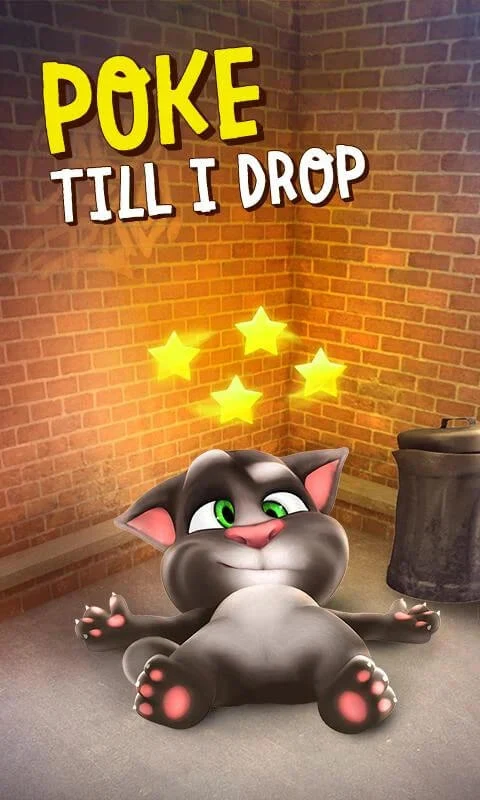
The game includes more than a dozen interactions from the beginning. Some are designed for quick reactions, such as poking Tom until he becomes dizzy, while others create comic effects. The source also describes actions involving accessories, including placing a vase on Tom’s head, using a megaphone, and putting masks on him.
What can Tom eat?
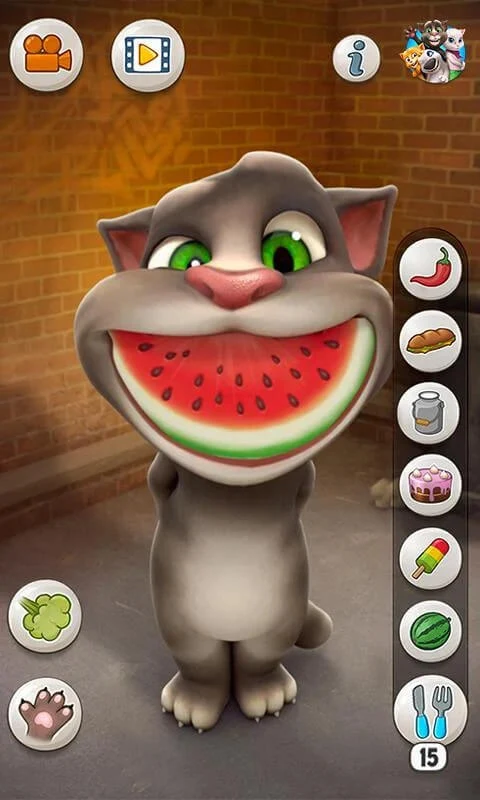
The Food tab contains a range of snacks with individual animations. Examples include donuts, cheese, lemons, peppers, watermelons, spicy chilies, and ice cream. Feeding Tom produces different responses, and continued interaction can reveal additional food-related reactions.
What are the gadgets and voice options?
The Gadgets tab adds objects for further interactions, including false teeth, magic books, and cardboard boxes. Talking Tom Cat also provides several voice choices for Tom’s speech playback. The source describes about half a dozen voices, with accessories such as masks or a megaphone changing how the repeated voice sounds.
Can you record interactions?
The game supports recording videos of interactions with Tom. These recordings can be shared with friends, making the voice repetitions and touch-triggered reactions suitable for short humorous clips.
Does the game include outfits and other customization?
Players can dress Tom in stylish clothes and use accessories during interactions. The description also includes decorating his home as part of caring for the virtual pet. These customization elements sit alongside the food and gadget activities rather than forming a separate objective or progression system.
How does access to food and gadgets work?
Talking Tom Cat is described as free to use, but the free version limits some food and gadget access. The source says that watching advertisements can provide new food items. It also describes a Pro version available through a one-off payment, with access to food, gadgets, and unlimited voice options, as well as removal of advertisements. Separate in-game purchases are available for smaller bundles, including a bundle of 100 foods.
Is Talking Tom Cat part of a larger series?
Tom is identified as part of the Outfit7 universe. The related titles named in the source are My Talking Tom, Talking Tom Gold Run, and My Talking Angela. Talking Tom Cat itself centers on a single character and his reactions to speech, touch, food, and interactive objects.
Which languages are supported?
The game is described as being available in eight common languages. The source specifically names English, French, Chinese, German, Spanish, and Italian among them.
Version history
View all01 Jul 2026 · stable