

Draw with FP sDraw
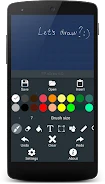
Draw with FP sDraw is a compact Android drawing app for sketching and art, with pressure-sensitive pen input, undo and redo, a customizable grid, and quick access to functions through the volume buttons. The source describes it as ideal for Galaxy Note users.
Screenshots

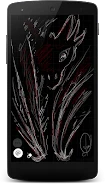
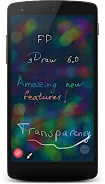
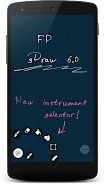
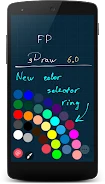
About this app
Draw with FP sDraw is a compact drawing app for sketching and art. Its description points to a need for a lightweight Android app that opens quickly and lets you focus on the canvas without a heavy interface.
Sketching with finer control over strokes
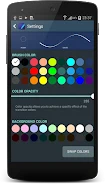
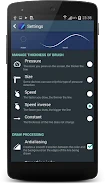
The app supports multitouch, which the source links to creating intricate and detailed drawings. For pen-based work, it offers pressure sensitivity that changes brush thickness, so stroke width can respond to how firmly you press. A line smoothing algorithm is also described as part of the drawing experience. Undo and redo tools let you step back through changes while you refine a sketch.
Arranging compositions with images, text, and a grid
For layouts and precise compositions, the source lists a customizable grid, image insertion, and text addition. These tools can help you place elements in a drawing and check alignment as you work. The description presents them as supporting precise compositions rather than as a separate workflow for any specific type of project.
Using a pen and keeping work saved
The description mentions drawing pen features and auto-save. Auto-save is the feature that addresses the risk of losing progress during a session. The source specifically describes the app as ideal for Galaxy Note users, but it does not list other supported devices, so compatibility beyond that statement should be checked separately.
Reaching tools quickly while drawing
The app offers quick function access through the volume buttons, which the source describes as a way to reach important functions without leaving the drawing area. A menu is also described as convenient and easy to navigate. The source states that the app is fast and smooth in operation and that it is less than a megabyte in size, so it uses little storage. It also says the app contains no advertising, although that statement comes from the app's own description.
Version history
View all21 Jun 2024 · stable
Frequently asked questions
How large is Draw with FP sDraw?
The app description states that Draw with FP sDraw is less than a megabyte in size.
Does Draw with FP sDraw show advertising?
The app description states that the app has no advertising. This is the developer's own claim and has not been independently verified in this profile.
Which devices does the source mention for Draw with FP sDraw?
The source describes the app as ideal for Galaxy Note users. It does not list other supported devices or Android versions.