

Fusion 360
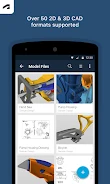
Fusion 360 lets you view and review 3D designs, follow project activity, and share designs or marked-up screenshots with collaborators. It works with the cloud-based Fusion 360 desktop product and supports viewing more than 100 data formats.
Screenshots

About this app
Fusion 360 for Android helps people view and collaborate on 3D CAD designs from a mobile device. It works with the cloud-based Fusion 360 desktop product and supports more than 100 data formats, including DWG, SLDPRT, and STL. Designs can be shared with people inside or outside a company, making the app useful for reviewing work with teammates, clients, partners, and other stakeholders.
Review designs and project activity
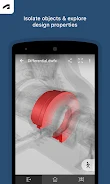
The app supports review of both large and small 3D designs and assemblies. Users can also follow project activities and updates, keeping design changes and related project information accessible alongside the models. Design properties and parts lists are available in the app, providing additional details to consult during a review.
Share feedback with collaborators
Fusion 360 supports sharing designs with stakeholders and sending screenshots with markups directly from the app. A team member can, for example, share an annotated screenshot to communicate feedback about a model without relying only on a verbal description. The app's collaboration functions are intended for people both within and beyond the user's company.
Access and permissions
The source describes account, storage, photo, and camera access as optional permissions that users can choose whether to grant. It states that the app can still be used without granting those permissions. This gives users control over whether the app receives access to those device functions.
Version history
View all01 Jun 2024 · stable