

InstaFont 4
Wathen Web WorksInstaFont 4 lets you browse and preview Unicode fonts for text, then copy the styled result for use in messages, social media posts, emails, and other places. It also offers controls for adjusting text size and color.
Screenshots
About this app
InstaFont 4 helps you change the appearance of text by choosing from a selection of Unicode fonts. You can preview how a message looks in different styles, adjust its size and color, and copy the result for use outside the app. This makes it a text-styling tool for messages and other written content rather than a separate messaging service.
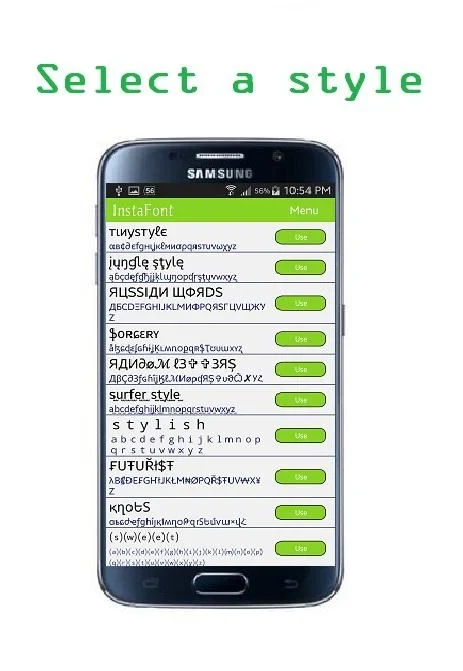
Browse and preview font styles
The app provides a variety of Unicode font options, including styles described as elegant, playful, or quirky. Browsing the choices and previewing them with your text lets you compare appearances before settling on one. Trying different options can help you select a style that suits the tone you want, whether the text is intended to feel more polished or more casual.
Copy styled text for other uses
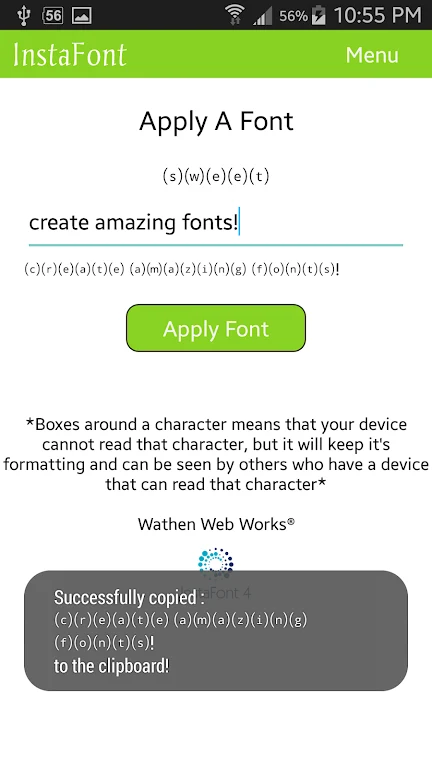
After choosing a font, you can copy the styled text and paste it elsewhere. The described uses include messaging platforms, social media posts, and emails, so the text can be prepared in InstaFont 4 and then used in another writing or posting context. It can also be used for captions or ordinary messages when you want to give the words a different visual treatment. The app's role is to style the text; the source does not describe it as sending messages or publishing posts itself.
Adjust size, color, and tone
In addition to choosing a font, InstaFont 4 includes options to customize text size and color. These controls provide further ways to shape the appearance of the text alongside the font selection. The app's guidance suggests considering the context: a cleaner, more elegant style may suit formal or professional writing, while playful or creative choices may fit informal messages and social posts. You can use the preview to consider how the chosen font and appearance work with your text before copying it.
Version history
View all23 Jul 2024 · stable