

Viso FBT APK
Viso FBT APK uses an Android phone camera to capture body movement for full-body tracking in virtual reality. It provides calibration and adjustment controls and is described as supporting VRChat on Quest and SteamVR without requiring separate physical tracking hardware.
Screenshots
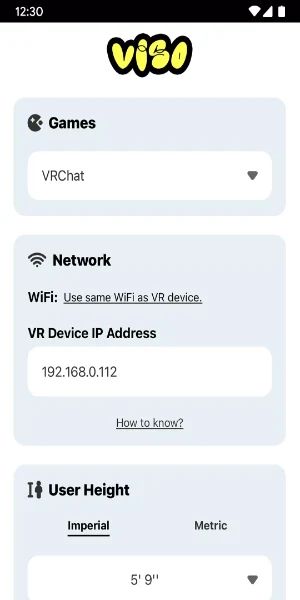
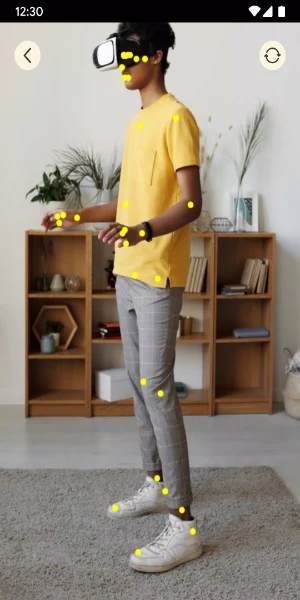
About this app
Viso FBT APK is a motion capture tool that uses a phone’s camera to capture body movement for full-body tracking in virtual reality. Its documented purpose is to translate physical movements into virtual avatar movement, with support described for VRChat on Quest and SteamVR. The app focuses on setup, calibration, movement capture, and adjustment controls rather than presenting a separate fitness or workout function.
Phone-camera motion capture
The central function uses the smartphone camera as a motion sensor. The supplied description says that Viso FBT can track movement from the elbows to the feet and translate those movements into avatar animations. This is intended to cover actions such as walking, dancing, and gesturing, allowing movement in the physical space to be represented in a virtual environment.
Because the camera is the stated tracking equipment, the app is described as avoiding the need for additional physical trackers. The exact result can depend on the setup and conditions around the phone camera. User reviews included with the source report that tracking may be inaccurate or glitchy for some users, so the documented feature should be understood as camera-based motion capture rather than a guarantee of precise tracking in every situation.
Calibration and setup controls
Viso FBT APK includes a setup flow designed to guide users through calibration. The source describes the interface as straightforward, with clear instructions intended to help users prepare full-body tracking. Calibration is important to the app’s operation because it establishes how captured movement is interpreted in the virtual environment.
The description also says that users can adjust settings and preferences to optimize their setup. The supplied user feedback mentions recalibrating when movement appears delayed or incorrectly aligned, and it refers to chest tracking as an available adjustment that may affect the result. These comments are user-reported experiences rather than guaranteed instructions, but they show that calibration and tracking options are relevant parts of using the tool.
VR platform support
The documented integration includes VRChat on both Quest and SteamVR. This gives the motion capture function a stated destination for virtual reality use, with the phone camera providing movement data for an avatar in the supported environment. The source also describes compatibility across different VR setups, but it does not provide a complete list of supported headsets, phones, operating system versions, or other applications.
The source’s final description says that the app is intended to add support for more games on Quest and SteamVR over time. That statement describes an intended expansion rather than confirming support for additional games. Therefore, the specific support documented here is VRChat on Quest and SteamVR.
Movement visibility and user adjustments
The app is presented as a way to make physical actions visible in a virtual world. Elbow-to-foot tracking is the clearest range described in the supplied information, while the examples of dancing, gesturing, and walking illustrate the kinds of movement the system is intended to capture. The result is avatar animation based on the user’s recorded body movement.
Users can adjust preferences and use calibration to refine the tracking setup. The supplied reviews also mention camera angle, room size, lighting, and the position of the phone as factors that may affect practical use. These observations come from individual users and are not stated as formal technical requirements. The source does indicate that users need enough space to move and that the phone camera is central to the tracking process.
Interface and community information
Alongside tracking, Viso FBT APK is described as having a user-focused interface for setup and operation. The source says that users can interact with other users, share suggestions with creators, and contribute to software updates. These community features are supporting aspects of the app’s presentation; the main documented function remains camera-based full-body tracking for virtual reality.
The supplied material does not establish a particular update schedule, performance level, accuracy guarantee, or complete hardware compatibility list. It also contains conflicting additional FAQ material about workouts and fitness programs, which does not match the motion-capture description. Those unrelated claims are therefore not treated as functions of this app profile.
Version history
View all13 Oct 2025 · stable