

Epson iPrint
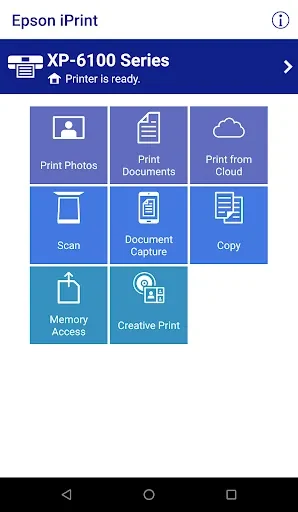
Seiko Epson CorporationEpson iPrint lets you print photos and documents, scan or capture paperwork, and manage selected printer functions from an Android phone or tablet. It supports several file formats and offers print controls such as paper size, page range, copies, and one- or two-sided printing.
Screenshots
About this app
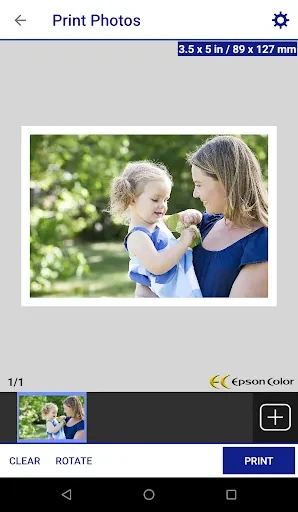
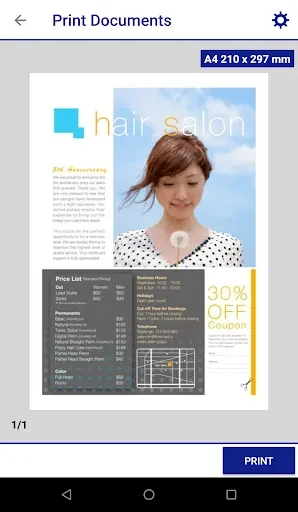
Epson iPrint is an Android app for printing, scanning, and handling files with supported Epson printers. It can print photos, PDFs, Microsoft Word, Excel, and PowerPoint files, as well as stored files and email attachments. The available functions also include document capture with the device camera, scanning from an Epson all-in-one, copying documents, and transferring files.
What print settings can you control?
The app provides options to set paper size, number of copies, page range, and one- or two-sided printing. For photo printing, it also includes automatic correction. These controls address common choices when preparing a document or photo, while the specific options available depend on the print task and supported printer.
Can you print when you are away from the printer?
Epson iPrint includes remote printing to email-enabled Epson printers, so a print job can be sent from a location apart from the printer. This remote function is specifically described for email-enabled models; the app's general printer support covers a wide range of Epson printers rather than every model.
What printer information and document tasks are available?
In addition to printing, scanning, and copying, the app can show printer status and ink levels. Users can capture documents with the Android device camera or scan from an Epson all-in-one, and the app also supports file transfer. Compatibility should be checked against Epson's supported-printer list, since the source does not establish that every Epson printer is supported.
Version history
View all23 Sep 2024 · stable
Frequently asked questions
Who is the developer of Epson iPrint?
The listed developer is Seiko Epson Corporation.