

Flat Equalizer
Flat Equalizer lets you adjust audio with frequency sliders, choose or create music profiles, and compare an adjusted sound with the original. It also includes bass and volume controls and can adapt its equalizer settings when it detects connected audio devices.
Screenshots
About this app
Adjust sound across frequency bands
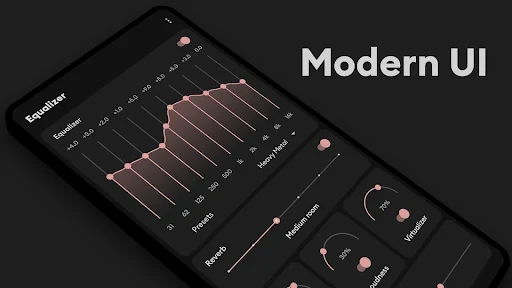
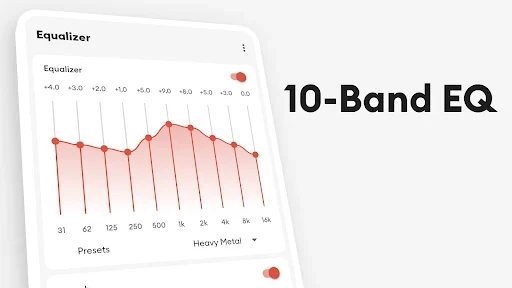
Flat Equalizer is an audio equalizer for shaping sound while listening to music, watching video or playing other audio. Its 10-band equalizer provides individual frequency controls: choose a band and move its slider to change that part of the sound. This gives listeners a way to make manual adjustments rather than relying only on a device’s default audio settings.
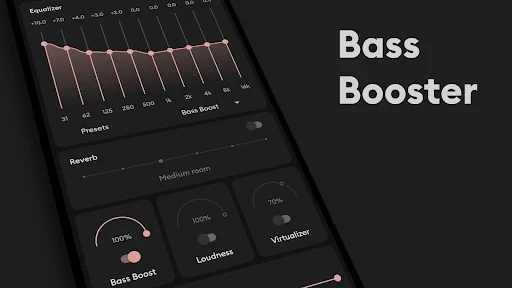
The controls can be used to tailor playback to a listening preference or a particular kind of content. For example, someone who wants more bass can adjust the relevant sound settings, while another listener may prefer a different balance. The app also includes bass and volume boosting controls for headphones and speakers. The effect of any adjustment depends on the chosen settings and the connected audio equipment.
Presets and custom profiles
Listeners can select from sound settings associated with music genres and listening needs, including jazz, rock, classical and electronic music. These profiles offer an alternative to changing each frequency band manually. Flat Equalizer also supports creating custom profiles, so a listener can shape settings around personal preferences rather than selecting only an existing option.
The app provides a way to compare adjusted audio with the original sound. That makes it possible to hear the difference a profile or manual change produces and decide whether to keep using that adjustment. The available controls therefore support both quick selection of a preset and more deliberate fine-tuning.
Adjustments for connected audio devices
Flat Equalizer is described as detecting connected audio devices, including headphones, external speakers and Bluetooth audio devices, and adjusting its equalizer settings accordingly. This device-aware behavior is intended to take the connected output into account. It sits alongside the manual sliders and presets, giving users both automatic adjustment and direct control over the sound.
The app is presented for use with a range of music and video applications rather than only one audio player. That makes its equalizer relevant to different types of phone playback, such as listening to music or watching a film. The source does not specify particular compatible players, so availability may depend on the audio being played and the device setup.
Volume controls and interface
Alongside equalization, the app includes volume controls for changing playback loudness. Its description also refers to automatic volume adjustment, while the feature details identify volume boosting as a tool for headphones and speakers. These controls address loudness separately from the frequency sliders, which shape the balance of the sound.
The interface is described as Material Design-inspired, with controls and icons available from the main screen. It offers light and dark themes. Its layout is intended to make the main adjustment options accessible with a small number of taps, while the 10-band controls remain available for listeners who want more detailed changes. The result is a combination of preset-based listening, custom sound shaping and volume adjustment in one audio utility.
Version history
View all12 May 2026 · stable