

Location Changer
Location Changer serves as a location simulator tool for Android devices, helping users hide their real coordinates and establish a virtual position. It supports application-wide virtual GPS integration through system developer options, allowing you to pin points on a map, save favorite locations, and simulate movement with adjustable speeds and driving modes.
Screenshots
About this app
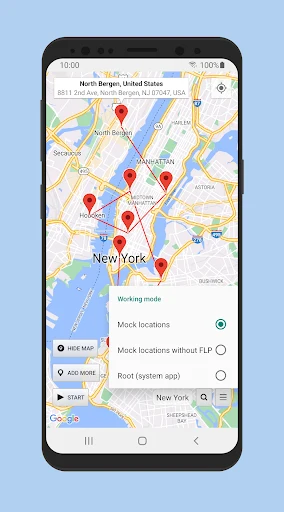
Location Changer functions as a virtual GPS utility designed to help users set custom coordinates across applications. By masking actual device coordinates, the tool allows you to place a virtual marker anywhere globally and simulate real-time positioning. To apply the tool across your device, users must access Android developer settings and select Location Changer as the primary mock GPS application.
How do you set and manage virtual locations on the map?
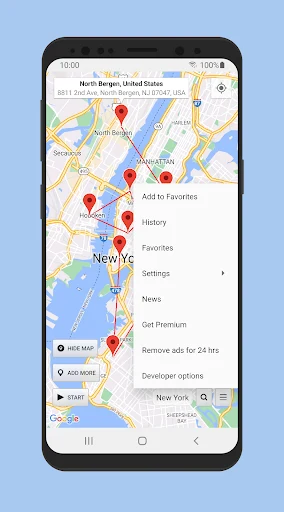
Setting a virtual position involves interacting directly with the in-app map interface. Users can long-press to drop a pin similar to standard mapping software and double-tap to zoom in or out. The application also includes an option to save frequently used coordinates to a dedicated favorites menu, making stored locations easy to retrieve and apply whenever needed. Additionally, users can toggle between default map views and satellite map types to suit their viewing preferences.
What movement simulation tools are available?
To simulate realistic travel rather than instant jumps between coordinates, the software incorporates several movement utilities. A driving mode enables navigation across multiple marker points at user-defined time intervals. Users can also activate an on-screen joystick from the settings menu to manually adjust speed parameters. Furthermore, a random speed change function alters speed, time, and distance parameters to make virtual movement appear natural. Users can also configure automatic location switching intervals, though timing may vary if the device enters sleep mode or the screen turns off.
How is the application controlled during daily use?
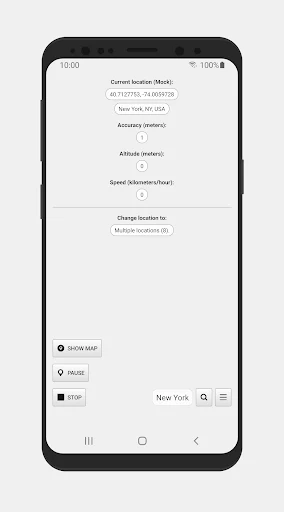
The software continues operating in the background following a device restart. When you need to deactivate the active simulation, a stop button located directly in the notification panel provides a quick way to turn off the service without navigating back through deep menu systems. The interface is organized to accommodate both experienced users and those exploring location spoofing tools for the first time.
Version history
View all16 May 2026 · stable
Frequently asked questions
Does Location Changer require special system settings to work with other apps?
Yes, you must enable developer options on your Android device and designate Location Changer as the primary mock GPS application before it can supply virtual coordinates to other software.
Can I save specific locations for later use?
Yes, you can tap the add to favorites button on any selected location and retrieve it later from the favorites section.
How can I stop the location simulation quickly?
You can turn off the app using the stop button provided in the notification panel.
What map styles can I choose from?
The application supports both a default map view and a satellite map type.