
Luminar
Luminar combines AI tools for lighting, skies, texture, and portrait retouching with manual controls such as Curves, Crop, and Erase. It also supports editing RAW images directly on your device.
Screenshots
About this app
Luminar is a photo editor for adjusting captured images, from correcting tone and lighting to retouching portraits and changing landscape skies. It combines AI-assisted adjustments with manual editing tools and a gesture-based interface.
Adjust tone, lighting, and texture after capture
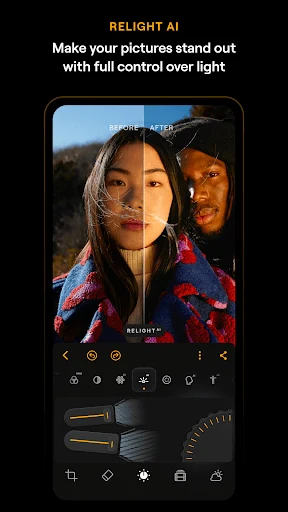
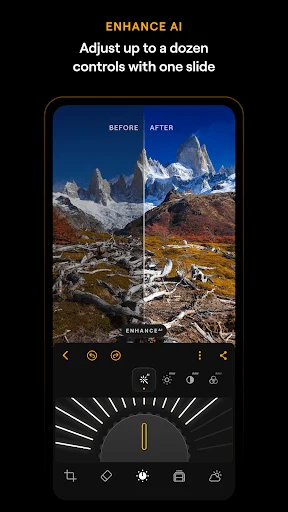
When a photo needs changes to its overall appearance, EnhanceAI brings tone, color, and clarity adjustments into a single control. RelightAI addresses a different task: rebalancing exposure and lighting after the image has been taken.
For texture-focused editing, StructureAI increases detail, while a separate Details tool is also available. Curves provides manual control over color adjustments, giving users another way to refine an image alongside the AI tools.
Change the sky and composition of landscapes
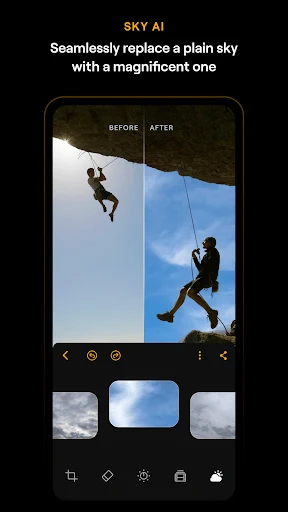
SkyAI replaces the sky in a photograph, allowing users to change that part of a landscape scene. Crop handles framing and composition, while Erase provides a tool for removing unwanted content from an image. These functions address separate editing tasks rather than forming a documented automatic sequence.
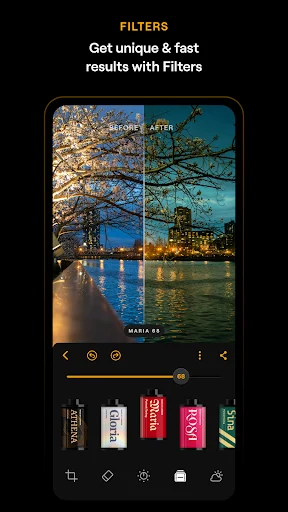
Creative filters and effects offer additional ways to change a photo's appearance. A Monochrome tool is available for edits that move away from color.
Retouch skin and adjust body proportions
For portrait work, SkinAI provides automatic skin retouching, including smoothing and blemish reduction. BodyAI is intended for reshaping body proportions. These controls cover different aspects of portrait adjustment, separating skin changes from changes to body shape.
Work directly with RAW photographs
Luminar supports RAW image editing directly on the device, so RAW photographs can be used as editing material rather than relying only on other image formats. Its combination of RAW support, manual controls, and AI-assisted tools accommodates both targeted adjustments and broader changes to a photograph.
Version history
View all22 May 2026 · stable
Frequently asked questions
Which operating systems are supported?
The supplied information lists Android 11 and later, plus ChromeOS devices with Android Runtime support.
Are all editing tools free?
Some features are free, while advanced tools require a subscription or a lifetime license. Monthly and yearly subscription options are listed, but the source does not specify which individual tools are included in each option.
How can I cancel a subscription?
Subscriptions can be managed and canceled through your Google Play account settings.