

Pixtica
Pixtica combines camera controls, photo and video editing, creative capture modes, document scanning, and QR/barcode reading in one Android app. Device-dependent tools include manual camera controls, panorama, slow motion, RAW capture, and other specialized modes.
Screenshots
About this app
Pixtica is an all-in-one camera and editing app for capturing, shaping, and organizing visual content from one Android interface. Its tools cover everyday photography, creative video, document scanning, QR and barcode reading, and gallery-based projects, making it useful when a single app needs to handle more than standard camera shots.
When you want more control over a camera shot
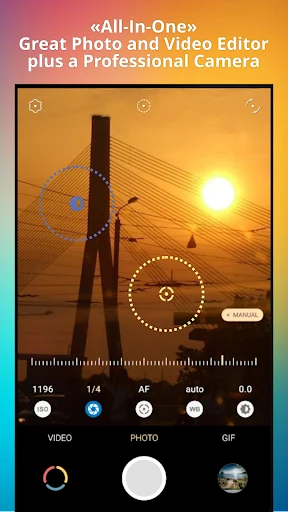
Pixtica provides manual controls when the device allows third-party apps to access them. ISO, shutter speed, focus, exposure, and white balance can be adjusted individually, giving photographers a more deliberate way to prepare a shot. These controls are not guaranteed on every device because the manufacturer must permit access beyond the factory camera application.
Smart guide-lines include a flat-position indicator for flat-lay photography. This can help align a camera with a level surface while arranging an overhead composition. For scenes that need a wider view, the panorama mode provides a guided way to capture broad images, although it requires a gyroscope on the device.
Other capture modes address specific visual effects. HDR offers multiple presets for high-dynamic-range photos, while portrait mode can produce a blurred background during capture. The portrait editor can also add blur areas and bokeh effects to existing photos, replace a background, or remove it with a stage-light effect.
When a scene is better expressed through motion
Pixtica includes a dedicated video mode together with time-lapse and hyperlapse recording for accelerated views of events. Slow-motion recording is available when the device supports it, so this mode depends on the phone's capabilities rather than being a universal function.
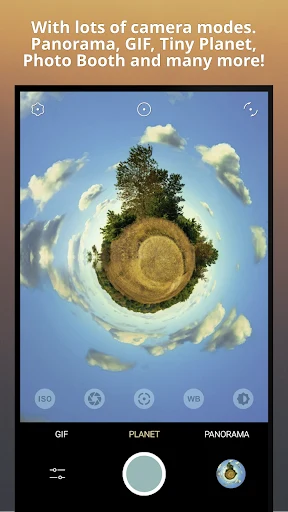
The GIF recorder creates animated loops using different capture modes, including options suited to selfie-based creations. Tiny Planet generates small-planet imagery in real time and provides a live preview using a stereographic projection algorithm. Photobooth offers automatic photo collages and can pause between individual shots, allowing several captured images to be arranged into one composition.
When a photo needs a creative finish
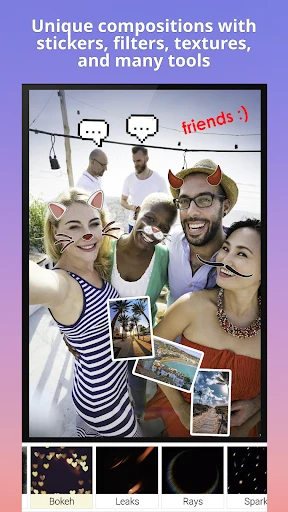
The photo editor combines filters, stickers, textures, and a drawing tool. Live filters can be previewed while shooting, with effects that include retro styles and fish-eye views. Stickers and textures can be layered into a composition, while the drawing feature supports simple sketches directly on an image.
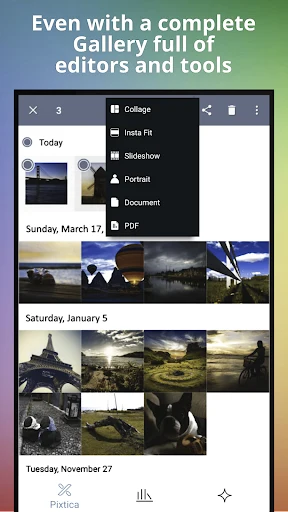
Portrait editing, collages, and meme creation are also available through the app's creative tools. The meme editor includes a selection of stickers, and the gallery can be used to make collages, turn photos into GIF slideshows, create memes, and assemble PDF documents. RAW capture is supported when the device provides the necessary capability, allowing compatible phones to save photos in RAW format.
When recorded clips need editing
The video editor is designed for adjustments after recording. It supports duration trimming and animated stickers, along with other video adjustments described by the app. This keeps basic clip refinement alongside the camera and photo tools rather than requiring a separate editor.
Pixtica's gallery brings captured media together and supports photos, videos, GIF files, and RAW files. From that area, users can move from viewing content to creating collages, slideshows, memes, or PDF documents. The source also describes high-definition rendering with balanced, vibrant results, although the final appearance can depend on the device and the selected tools.
When a camera app also needs to handle documents
The document scanner captures paper documents and converts them to JPEG or PDF. This gives the app a defined use beyond photography: documents can be digitized for archiving or sharing in either of those formats. The gallery also includes PDF creation tools for working with stored media.
A QR and barcode scanner is included for reading those codes without switching to a separate utility. Pixtica therefore combines visual capture with a small set of everyday scanning tasks, while the document scanner and QR/barcode scanner serve different purposes within the same app.
When planning a time for outdoor photography matters
The Magic Hours tool identifies daytime periods associated with blue hour and golden hour. It is intended for planning photography around those lighting periods, complementing the app's capture modes and manual controls rather than editing an image after it has been taken.
Access and device-dependent features
Pixtica has a free version with many features, while some premium functions can be unlocked through in-app purchases or subscriptions. Several specialized capabilities depend on hardware or manufacturer permissions: panorama requires a gyroscope, slow motion requires device support, RAW capture requires device support, and manual controls require the manufacturer to allow third-party camera access.
The source notes that video mode can crash when switching to a different camera sensor. This is a reported limitation to consider when changing sensors during video use, while the remaining camera, editing, scanning, and gallery functions provide the app's broader workflow.
Version history
View all12 May 2026 · stable
Frequently asked questions
Does Pixtica support RAW photos?
Yes, Pixtica can capture photos in RAW format when the device supports that capability.
What device feature is required for panorama mode?
Panorama mode requires a gyroscope on the device.
Can Pixtica scan documents as PDF files?
Yes. Its document scanner can convert paper documents to JPEG or PDF.
Are all manual camera controls available on every device?
No. Manual controls depend on the device manufacturer allowing third-party apps to use camera functions such as ISO, shutter speed, focus, exposure, and white balance.