

Samsung Finance +
Samsung Finance + supports loan applications for Samsung device purchases and lets users check their available credit limit. It also provides tools for viewing loans, receiving installment reminders, and making repayments.
Screenshots
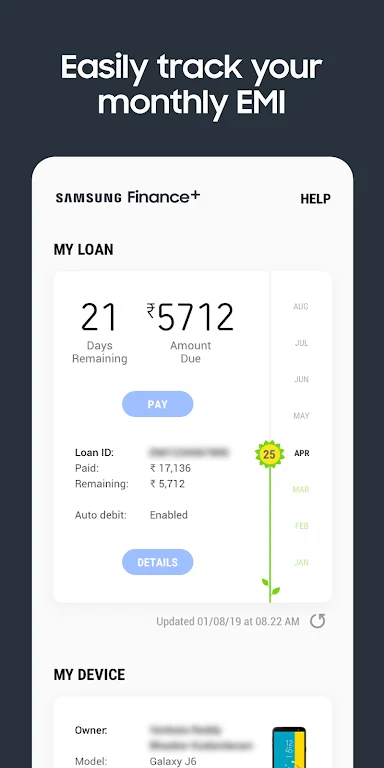

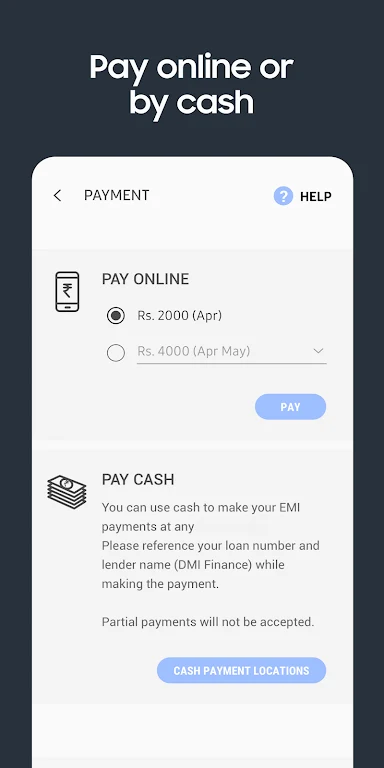
About this app
Samsung Finance + is a financing app for Samsung device purchases. It lets users check how much credit is available to them and apply for a loan, while providing tools to manage installments after a purchase.
Checking credit and applying for a loan
The app offers a credit-limit check so users can see the amount available before choosing a device. The described financing service covers purchases online and at participating physical stores in India. Installment terms are described as flexible, with 0% interest options mentioned; the supplied information does not specify which purchases or applicants qualify for those terms.
For an application at a participating store, users can ask a Samsung promoter about the service and should have a valid ID document ready. The application is described as paperless and processed in real time. A purchase financed through the service follows approval and signing of a loan agreement, rather than a credit-limit check alone. The source also states that a CIBIL score is not mandatory.
Keeping track of installments
After registration, users can view and manage existing and past loans in the app. EMI payment reminders help them keep track of upcoming installments, and the app includes repayment features for paying them. It also provides information about offline installment payment locations as an alternative to online payment methods. These tools relate to an active loan; they do not establish whether a new application will be approved or what terms an applicant will receive.
Version history
View all23 Aug 2024 · stable