

ViMusic
ViMusic is an Android music player for finding and playing content from YouTube Music. It combines background listening, offline caching, playlist management, lyrics, and adjustable playback settings.
Screenshots

About this app
ViMusic is an Android music player for streaming and organizing music from YouTube Music. It brings search, library organization, and playback controls into one app, with support for listening while using other apps or leaving the screen off. Alongside music playback, it supports video clips and can open YouTube links directly.
Find music and keep it organized
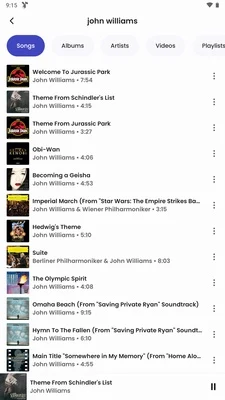
You can search for a particular song, artist, or playlist, or browse music by genre, mood, and artist. Albums and artists can be bookmarked for later access, keeping those saved choices separate from the tracks you arrange into playlists.
ViMusic lets you create and manage local playlists, import playlists from other services, and export playlists to other music services. The supplied description names Spotify and Apple Music as import sources. Songs and playlists can also be shared through social apps or by copying their links to paste elsewhere.
Control the listening queue
The playback queue can be rearranged by dragging songs into a different order, and shuffle offers an alternative to following that order. Autoplay is also available. Background playback continues when the app is minimized or the display is switched off, including when opening YouTube links for spoken content such as podcasts.
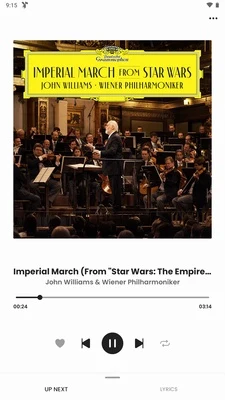
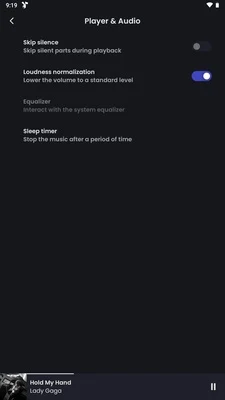
A sleep timer stops playback after a chosen interval. Other listening controls include skipping silent sections, adjusting audio loudness, and applying loudness normalization. A built-in equalizer provides sound adjustment, while lyrics can be displayed during playback for following along with a song.
Cache and download audio
An automatic cache stores played media so it can be played again without an internet connection. This gives previously played content an offline listening path, rather than requiring it to be streamed again each time. Initial streaming still requires an internet connection.
The description also lists music downloads for offline listening, with options to choose download quality and storage location and manage downloaded content. Cache settings are available separately among the app's customization controls. These are distinct from searching for new music online: offline playback concerns content already cached or downloaded.
Adjust the interface and settings
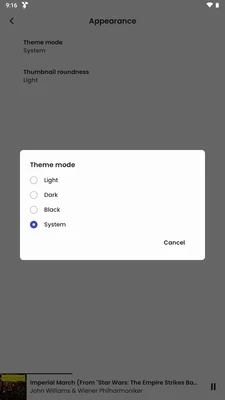
Appearance options include dark, light, and custom modes, along with changes to colors, fonts, accent color, and font size. Beyond the overall appearance, ViMusic provides settings for the player, cache, and database. These controls cover both how the interface looks and how parts of the app are configured.
Playback through Android Auto
Android Auto support provides voice and touchscreen controls for music playback in the car interface. Available actions include playing, pausing, skipping tracks, shuffling, repeating, and searching for music. This extends the playback controls beyond the phone's main player screen without changing the app's focus on finding and listening to music.
Version history
View all09 Jun 2026 · stable
Frequently asked questions
Does ViMusic require an account or subscription?
The supplied description states that ViMusic is free to use and does not require registration or a subscription.
How is ViMusic installed?
The supplied description lists manual installation through an APK file rather than installation from Google Play.
Which version is listed?
The supplied version is 0.5.4.